Golf Rewards - Instructions for Using & Earning Reward Points
28/05-2024, 02:24(GMT+7)
GOLF REWARDS

Point Usage Instructions
1. Direct Deduction from Booking - Golf Course Booking
Customers can use their points to deduct from the booking value. Customer service staff are responsible for this. Inform the customer and use their existing points to deduct from the new booking.
2. Using Points to Purchase Golf Accessories
Customers can use their points to purchase golf equipment sold by the company: Gloves, socks, sun protection gloves, hats, clubs, clothing… (product details are available at: Golfbooking.com.vn/golfshop). The process of redeeming points for items will be done in two steps as follows: - Sales staff: create a warehouse release bill (retail invoice), select items to be shipped, use points to pay - If the customer's points converted to money are less than the item's price, the customer will pay the remaining amount 3. Use points to redeem e-vouchers from over 100,000 brands.
Customers can use G-POINT to redeem e-vouchers from over 100,000 brands. Through a third party. GOTIT - Customer Visit website Golfbooking.com.vn. Log in to your account (using your phone number) - Customers will see their G-POINT number in the Rewards section. Select the brands you want to redeem Evouchers for. - Customers will receive an Evoucher code from that brand corresponding to the amount they wish to redeem. Other brands do the same.

INSTRUCTIONS POINTS ACCUMULATION
1. Point Accumulation Policy
For each invoice, points will be accumulated for each item corresponding to the number of players Note: - The customer points accumulation policy may change periodically depending on the information Program Information
- No points will be awarded for discounted invoices.
- No points will be awarded for discounted products.
- No points will be awarded for discounted products.
- No points will be awarded for discounted products.
class="CxSpMiddle" style="margin-top: 6pt; margin-right: 0in; margin-bottom: 3pt; text-align: justify;">- Invoices using points cannot accumulate points. 2. Check score Customers can check their score at the website: golfbooking.com.vn or on the Zalo Intergolf official channel Check through customer service staff Customers have the right to view their points history. 3. Points Recall Policy In some special cases, Intergolf has the right to withdraw points or change the policies applied to Customers in this Regulation, specifically as follows: - Recover all points accumulated from successful payment transactions from customers who commit fraud or have successful payment transactions but request a partial/full refund/cancellation afterward. - Recover all available points in case the Customer abuses the conversion of reward points or Intergolf's Promotion Program to benefit for personal purposes. - In case the customer's available points are less than the points to be collected, only allow the customer to accumulate points, do not allow the customer to spend points until the full number of points is collected. - Intergolf has the right to lock the Customer's Loyalty account if there are signs of fraud, forgery, or fake payment transactions for profit. 4. Golf course price list and accumulated points for customers. Visit: golfbooking.com.vn/bang-gia/bang-gia-thang-6-n780.html
Featured News
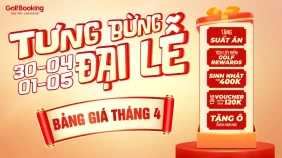
Golf Course Booking Price List - April 2026

2026 International Womens Day Golf Promotions: Exclusive Privileges for Lady Golfers | Golf Booking 2026

Golf Course Booking Price List - March 2026

Tips for booking golf courses cheaply: Save 120,000 VND per booking.

Top 5 Exclusive Golf Booking Deals in Vietnam (2026 Edition)